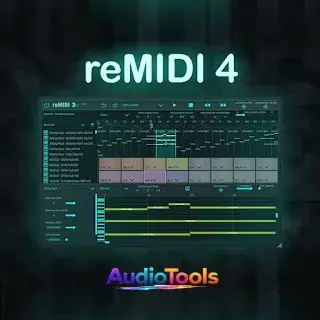
Qué es reMIDI Sampler Audiotools
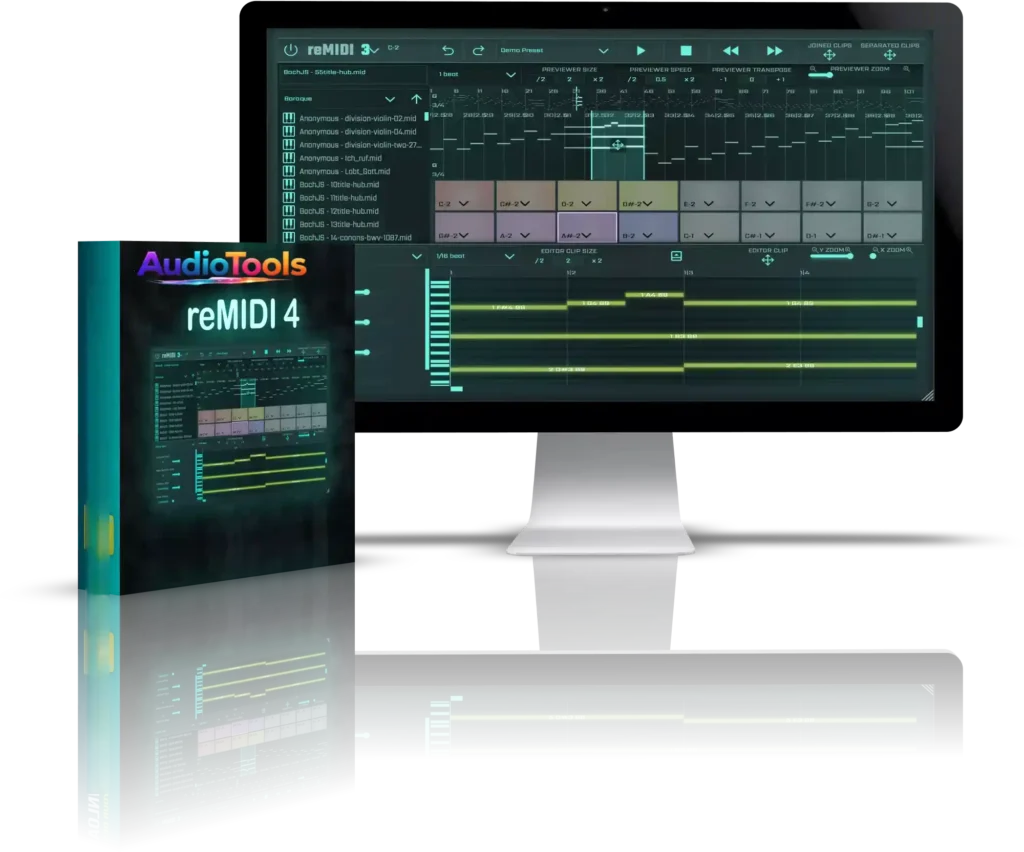
Es un reMIDI Sampler de efectos MIDI que captura notas musicales de archivos MIDI, lo que permite localizar, cortar, modificar el tono y estirar el tiempo de las muestras rápidamente, y asignarlas a un controlador. reMIDI Sampler es un plugin de instrumento que puede generar salida MIDI y de audio. Incluye un sonido de sintetizador de onda sinusoidal básico para ediciones rápidas, lo que permite localizar fácilmente un bucle para exportarlo directamente como archivo MIDI.
Para hosts de unidades de audio (p. ej., Logic Pro), se utiliza el plugin de efectos MIDI reMIDI Sampler. Se asemeja al reMIDI estándar, pero se coloca antes del instrumento de destino en la misma pista, enviando la salida MIDI directamente. Sin duda, es el método más elegante de los dos, aunque solo captura las notas de disparo básicas de la pista, no los acordes producidos por el plugin.
Also try these other products from Audiotools Store
Qué hay de nuevo
- Utiliza reMIDI 2 junto con cualquier controlador MIDI para establecer asignaciones personalizadas de notas MIDI.
- Una cuadrícula de 120 pads en total, que te proporciona 120 reMIDIs.
- Previsualiza al instante segmentos MIDI muestreados automáticamente que se reproducen en bucle sin interrupciones con solo pulsar una tecla.
- Extrae acordes y progresiones muestreados a tu DAW.
- Maneja MIDI eficazmente sin depender de un editor de notas o de pianola.
- Confiar en la visión musical de grandes compositores es esencial: presentan ganchos, motivos, temas y variaciones duraderos, listos para explorar mediante el muestreo.
- Más de 150 compositores (Bach, Beethoven, Chopin, Mozart, Gershwin, etc.)
- 8 géneros distintos (barroco, clásico, folk, himno, jazz, marcha, renacimiento y romántico)
- Guarda tus colecciones personales de samples en el banco de preajustes para usarlas en el futuro.
- Reduce rápidamente el tempo a la mitad o auméntalo en cualquier factor sin perder la sincronización con tu DAW.
- Asigna cualquier instrumento VST/AU a reMIDI para controlar tus sintetizadores preferidos.
- Tras identificar un bucle o una progresión de acordes en un archivo MIDI, puedes seguir buscando variaciones en el mismo archivo o en diferentes.
- Cambia rápidamente todas las notas para disfrutar de infinitas opciones de remezcla.
English:
What is reMIDI Sampler?
It’s a MIDI effect plugin that captures musical notes from MIDI files, reMIDI Sampler enabling you to swiftly locate, slice, pitch shift, and time-stretch samples and assign them to a controller. reMIDI Sampler is an instrument plugin that can generate both MIDI and audio output. A basic sine wave synth sound is included for quick edits, allowing you to easily locate a loop for exporting as a MIDI file directly within it.
For audio unit hosts (e.g., Logic Pro), the provided reMIDI_MFX MIDI effect plugin is utilized instead. It resembles the standard reMIDI but is placed before the target instrument on the same track, sending MIDI output directly. It is undoubtedly the more graceful of the two methods, even though it only captures the basic triggering notes of the track, not the chords produced by the plugin
What’s New?
- Utilize reMIDI 2 alongside any MIDI Controller to establish personalized MIDI note assignments.
- A grid arrangement of 120 pads in total, essentially providing you with 120 reMIDIs.
- Instantly preview automatically sampled MIDI segments that seamlessly loop with a key press.
- Pull sampled chords and progressions into your DAW.
- Effectively handle MIDI without relying on a piano roll/note editor.
- Reliance on the musical insight of great composers is essential – they present enduring hooks, motifs, themes, and variations – all ready for exploration through sampling.
- More than 150 composers (Bach, Beethoven, Chopin, Mozart, Gershwin, etc.)
- 8 distinct genres (Baroque, Classical, Folk, Hymn, Jazz, March, Renaissance, and Romantic)
- Store your personal sample collections in the preset bank for future use.
- Rapidly reduce the tempo by half or increase it by any factor while remaining synchronized with your DAW.
- Assign any VST/AU instrument to reMIDI for controlling your preferred synths.
- After identifying a loop or chord progression in a MIDI file, you can continue looking through the same file or different files for variations.
- Quickly shift all the notes for limitless remixing options
FAQs
- Are there integrated MIDI patterns included with reMIDI Sampler?
Indeed, it features an extensive collection of expertly crafted MIDI files spanning genres such as trap, hip-hop, EDM, reggaeton, and others.
- Is it possible to bring my own MIDI files into reMIDI Sampler?
Certainly, you can simply drag and drop your own MIDI files into the plugin and allocate them to pads for efficient triggering.
- Which digital audio workstations are compatible with reMIDI Sampler?
reMIDI Sampler is compatible with most major DAWs that support VST or AU plugins, including FL Studio, Ableton Live, Logic Pro, and Cubase.
- Is it possible to modify MIDI patterns within reMIDI Sampler?
You can modify tempo sync, key, and triggering behavior, but intricate MIDI editing is typically performed within your DAW’s piano roll.
- Is reMIDI Sampler suitable for live performances?
Yes, as it enables you to activate various MIDI phrases immediately with pads or MIDI controllers, which is advantageous for live beat creation and performance configurations.
- Is reMIDI Sampler compatible with external instruments?
Yes, it transmits MIDI output to any VST instrument in your DAW, allowing you to utilize it with synthesizers, pianos, drums, or any virtual instrument